How to Turn On Earthquake Alerts on Your Phone: What I Showed on Univision's Primer Impacto
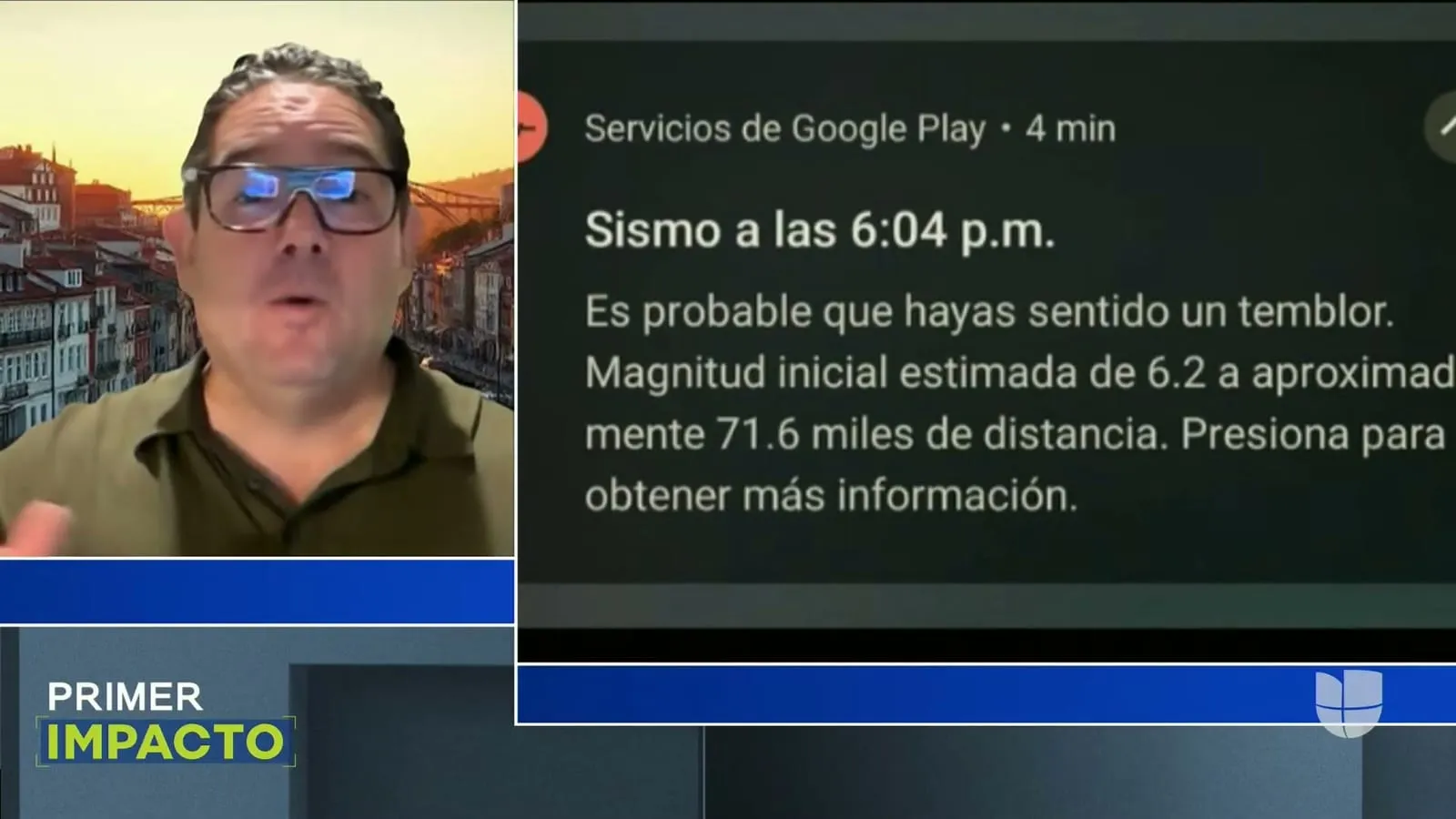
A father was watching a movie in his apartment when his phone buzzed. He didn’t stop to read the whole thing. He grabbed his daughter and ran out the door, no shoes, and made it out. The video Primer Impacto played on air is the kind of thing that stays with you. He had about ten seconds. He used them.
That’s what I went on to explain: those ten seconds didn’t come from luck. They came from a setting on his phone that most people don’t know is there.
This was on Primer Impacto, and if you didn’t grow up with Univision on in the afternoons, let me put it in perspective. The show has been on the air since 1994 and it’s still one of the highest-rated Spanish-language news programs in the country, watched by millions of Hispanic families every single weekday. So when they give me a few minutes to explain something like this, I don’t waste them. A tip that helps one person get their kid out the door in time is worth putting in front of an audience that size.
Ten seconds sounds like nothing until it’s everything
An earthquake sends out two waves. The first one, the P-wave, is the polite one. It gets there fast and it’s mild, a little rattle. The second one, the S-wave, is the one that does the damage, and it’s slower. The gap between them is small, sometimes just seconds. But your phone can catch that first wave and shout at you before the second one arrives.
That’s the whole trick. It’s not predicting the future. Nobody can tell you an earthquake is coming next Tuesday. What this does is warn you in the tiny window between “it started” and “it’s here.” Enough time to get under a table, get away from a window, or in that father’s case, get his kid and get out.
So let’s set it up, because it does you no good the moment the ground is already moving. You do this today, on a calm afternoon, not during.
If you have an Android phone
Android has this built in, and it’s the better system of the two. Here’s how to find it:
- Open Settings.
- Use the search bar at the top and type Earthquake (or terremoto if your phone is in Spanish).
- It’ll usually live under Safety & emergency, though depending on your Android version it can also sit under Location. That’s exactly why I tell people to just search for it instead of hunting through menus.
- Turn on Earthquake alerts.
Done. Your phone is now part of the network I’ll explain in a second.
If you have an iPhone
Apple doesn’t have Android’s earthquake detection built in the same way, so the steps are different. What you want to turn on are the government emergency alerts:
- Open Settings and go to Notifications.
- Scroll all the way to the bottom to Government Alerts (sometimes shown as Emergency Alerts).
- Make sure Emergency Alerts is on.
That covers the official alerts pushed out by authorities. If you want something closer to what Android does, you’ll want an app.
The apps I showed on air
Two I actually pulled up during the segment:
- MyShake — this is the one powered by ShakeAlert, and it works in California, Oregon and Washington. It’s free, it was built by the seismology folks at UC Berkeley, and on my screen you could see all the smaller quakes it had flagged over the last few weeks. If you’re on the West Coast, this is the one.
- My Earthquake Alerts Pro — this one’s global. You can put it on an iPhone and it’ll tell you where there’s a quake alert anywhere in the world, taking your location into account. Good if you travel or you’ve got family in other countries.
Here’s the part that blew the host’s mind
How does your phone know? It’s not psychic. It has an accelerometer, a little motion sensor, the same chip that knows when you turn your phone sideways. Now multiply that by hundreds of thousands, millions of phones sitting still in one area.
When Google sees a whole region of phones suddenly twitch in the same strange pattern at the same instant, it knows that’s not a bunch of people dropping their phones. That’s the ground moving. It confirms it, and it fires off the alert faster than the damaging wave can physically travel to you. Your neighbors’ phones, and yours, become one giant earthquake sensor.
Which brings up the honest catch, because I don’t like selling anyone a false sense of security. This needs signal. You have to have a cell or data connection in that moment for the notification to reach you. The good news is that in the seconds we’re talking about, that’s rarely the problem. But it’s the reason I say turn on every layer you can: the built-in setting, the government alerts, and an app. Redundancy is the point.
Set it up before you need it
The host closed by saying technology can be the difference between life and death, and on this one she’s not exaggerating. But only if it’s already on. A safety feature you’ll enable “later” is a safety feature that isn’t there when the floor starts moving.
So take the ninety seconds right now. Grab your phone, grab the phones of the people you love, especially your parents and your kids, and turn these on. That father didn’t have time to go digging through Settings when his phone buzzed. He’d already done that part. All he had to do was run.